Thursday, January 7, 2010

GETAC 9213 REVIEW


Getac known for its super-rugged notebooks has entered the business notebook market with the Getac 9213. This is a thin and light 13.3 inch model business notebook with prices starting at $1,799.

System configuration
OS: Windows Vista Business (SP1)
Processor: Intel Core 2 Duo SU9400 (1.40GHz, 800MHz FSB, 3MB Cache)
Memory: 3GB DDR2 RAM (2GB x 1GB)
Storage: 160GB Fujitsu 5400rpm HDD
Optical Drive: DVD+/-RW
Wireless: Intel 5300AGN, Bluetooth 2.1
Graphics: Intel X4500M Integrated
Built-in web camera

One of the nicest features of this notebook is its keyboard which is very comfortable to type on. There are 3 USB ports, LAN, analog and digital audio ports and VGA. Expansion slots include an ExpressCard/34 slot and SDHC multi-card reader. The speakers work well for VOIP applications but not so great for music and video

Performance
Performance is similar to those offered by Lenovo ThinkPad X301 and Toshiba Portege A605. The notebook can perform day-to-day jobs like word processing, surfing the web, or watching video. The notebook comes with integrated intel graphics and a power-saving Intel SU9400 Core 2 Duo processor. The average battery life is 4.5 hours.

Pros:
Excellent looks and competent build quality
Great keyboard

Cons:
expensive

GETAC'S NEW 9213 BOTH STYLISH AND RUGGED


Getac’s 9213 laptop is aimed at businesses. It is both stylish and rugged. Rugged notebooks are known for their durability and ability to survive in unfavorable conditions like high pressure and temperature.

Getac 9213 isn’t built to compete with Panasonic’s Tough book, but it has a lot of good features such as Magnesium alloy chassis and case, shock-mounted hard disk, encased LCD display, spill resistant keyboard and touchpad. The notebook can withstand shock and drop. Other plus points are its lightweight and good battery life.

Specifications
Processor: Intel Core 2 duo (Penryn) Ultra Low Voltage SU9400 1.40 GHz Processor
Memory: 3 GB of DDR2 RAM
HDD: Up to 250 GB HDD
Graphics: Intel GS45 onboard graphics chip
Display: 13.3-inch LED Backlit WXGA display
Weight: 3.75lbs

Getac 9213 supports Intel Ultimate Wi-Fi Link 5300 and Bluetooth. There is a TPM security module for enhanced security and 1.3 megapixel webcam. Optional features include a 3.75G HSUPA module and fingerprint reader. The estimatedbattery life is 8 hours. Prices start at $1799.

DELL UPDATES ITS INSPIRON MINI 10


It is raining Pine Trail netbooks. Dell hasn’t announced any new netbook with the Atom N450 chipset, but it has decided to refresh its Inspiron Mini 10 series with a newer design and the brand new processor. The redesigned netbooks will have a textured smudge-resistant palm rest and sculpted keys. They will be powered by Intel’s latest Pine Trail Atom N450 processor. Both 3 cell and 6 cell battery options are available. Dell claims that the 6-cell battery will provide up to 9.5 hours of uptime, thanks to the better power efficiency of Atom N450. The netbooks will run Windows 7 Starter Edition. For storage there is a 250GB hard drive. Other features include HDTV tuner (optional) and GPS.

Pricing and Availability
The updated Inspiron Mini 10 is expected to be available in early January. The base version will start at $299.

Dell Latitude E4200

Dell Latitude E4200Screen Size: 12.1”
Battery Life: 4 Hours
Operating System: Windows XP / Windows Vista Home Basic / Windows Vista Business
Weight: 2.2lbs

Dell has recently released an incredibly lightweight and portable system named the Adamo, which boasts some fairly impressive design detail and interesting specifications. The reason it isn't in this list is because it's priced ridiculously high even for a small laptop. For those looking towards Dell, the latitude remains as ever the best choice between value and performance, and the E4200 is no different.

The E4200 is slightly more of a professional system than some of the others we've looked at, and this ethos is echoed in the systems design. It's bold, practical and refreshingly angular in a world that's obsessed with curves. It's also one of the most solid systems we've seen and at 12" this is quite an accomplishment. It may not hold up to companies like Lenovo, Sony or Apple when it comes to style, but it's not ugly either. The only stumbling point some people may have is that the systems 6-cell battery sticks out from the back of the system quite a long way. It sounds worse than it looks, though!

For a 12" laptop it's quite surprising to not see an optical drive installed, and the options provided by Dell are expensive and not including in the base price of the system, which will be a turn off to some. There's also no integrated webcam which is a standard for most small laptops released today, although perhaps not a necessity for most users. It's an interesting thing to exclude considering the business focus of the E4200, but a webcam wouldn't have fit amongst the bezel on the top of the system.

The E4200 features a high quality full sized laptop keyboard and a responsive touchpad, not surprising considering solid and tactile controls have become a trademark of the modern Latitude range. The system is very configurable so if you want to save money by removing features such as mobile broadband you've got the option.

One of the more unique features of the E4200 is its secondary OS. Yes, it’s not uncommon in small laptops, but it's usually reserved for the much smaller netbooks and it's refreshing to the see the OS in a larger system. Much like most instant-boot secondary systems, Dell's 'Latitude ON Reader' provides a much longer battery life than Vista could hope for while giving users quick access to the internet, instant messaging and document viewing.

Battery life on the system manages around 4 hours on heavy load, quite an impressive result considering the size and brightness of the screen. The SSD only drive makes the system speedy even using a comparatively slow 1.4 GHz CoreDuo CPU. Combined with its sturdy design and excellent software options the E4200 is a stunning choice, provided you can live without a DVD drive. Prices range from $1000 - $2000 depending on the wide variety of options available.

LENOVO IDEAPAD U1 TABLET WITH A DETACHABLE SCREEN


Tablet PCs usually have a display that you can swivel and fold down over the keyboard. But the Lenovo IdeaPad U1 tablet is different. It comes with an 11.6 inch detachable screen. Another interesting feature is that the tablet portion of U1 has a secondary processor in it.

The IdeaPad U1 can function as both a notebook and a tablet. In the laptop mode the device has a CULV processor and runs Windows 7. Other features include 4 GB of RAM, 2 USB ports, HDMI and VGA. Up to 128GB of SSD is also available for storage. Now what if you want to use the device in the tablet mode? Well, just detach the screen and you will have a fully functional touch-screen tablet PC powered by a Qualcomm Snapdragon ARM-based processor, 512MB of RAM and a 16GB of flash memory. The tablet version runs Skylight Linux, a custom OS developed by Linux.

The IdeaPad U1 weighs around 3.8 pounds. The detachable tablet alone weighs 1.6 pounds. The battery, WiFi, 3G and Bluetooth are all tucked away in the tablet. In the laptop mode you will get around 6 hours of uptime and in the slate mode you will get more. Prices start at $999.

Lenovo IdeaPad U110

Lenovo IdeaPad U110Screen Size: 11.1”
Battery Life: 3 Hours / 1.5 Hours (depending on battery)
Operating System: Windows Vista Home Premium
Weight: 2.42lbs / 2.92lbs

The Lenovo is perhaps the PC world's answer to the Macbook Air. It's incredibly stylish, thin and lightweight. Its 11" screen strikes a good balance between screen size and weight. Its size makes the system one of the smallest 'ultrathin' laptops, only an inch bigger than the larger netbooks. Despite weighing only 3.1 pounds with its 4-cell battery included, the U110 is one of the most sturdy feeling machines around thanks to its aluminium cover and case.

With the size comes an interesting 1366x768 native resolution which allows the laptop to fit an impressive amount of onto its small screen. The display is sharp and bright. Unfortunately the screen is very reflective much like many of its competitors, so while it looks great at the right angle, it's far from ideal for using in direct sunlight. 1,366 is also a high resolution for an 11" screen so everything appears quite a bit considerably smaller than you might be used to on other small laptops. Despite all this, the overall design and clarity of the screen make up for any real shortcomings of the system.

The Lenovo’s option to use a low-voltage version of Intel’s trademark Core 2 Duo chip means the system isn't as fast as some of its competitors, but it still outweighs netbooks by a long way. This is quite an impressive feat considering the size of the system which manages to run Vista with very few problems. There's also plenty of connectivity on the U1110 with three USB ports, mini firewire and an express card slot. The only major drawback on the connectivity side is the same as those faced by Macbook Air users - no internal DVD drive. The difference with the Lenovo is that a DVD drive is provided within the cost of the system rather than as a separate accessory.

Battery life on the U1110 is quite unique. The Lenovo actually ships with two batteries, a lightweight 4-cell and a heavier but much longer lasting 7-cell. The larger battery lasts a full 3 hours but the 4-cell only manages around 1.5 on heavy load. The difference between the two batteries means you are likely to find yourself using the 7-cell far more often. However, it's an excellent design decision to give the user some choice when it comes to how heavy the system is.

There's not a lot of choice outside the world of batteries however, the U110 comes in a single configuration with all the advantages and drawbacks that brings. Finding drivers for the system is much easier because there’s only one set of hardware but it means you can't include many of the higher-end options you might see on many of the systems competitors. There's no option to replace the 120GB spinning drive with a solid state alternative for example.

The Lenovo weighs in at around $1300 and there are some options to upgrade the 2GB ram higher if you find the right store. The Lenovo is a system that takes the great looks of the Macbook Air and hands it to Windows users for nearly half the price. However, the lack of DVD drive and use of a slower Intel chip make it slightly less functional than a larger more complete system.

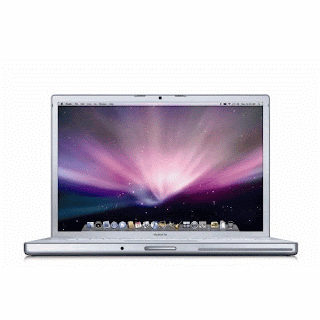
15 INCH MACBOOK PRO REVIEW


The 15 inch MacBook Pro is a decent notebook delivering competent performance. At $2,299, it is a bit pricey. Let’s see if it is worth the money.
Specifications of the laptop under review
Processor: Intel T9600 2.8GHz Core 2 Duo (6MB cache, 1066MHz FSB)
Memory: 4GB (2x2GB) PC3-8500 DDR3 SDRAM (1066MHz)
Graphics: nVidia Geforce 9600M GT with 512MB GDDR3 SDRAM (dedicated) AND nVidia Geforce 9400M with 256MB DDR3 SDRAM (shared)
Display: 15.4” glossy LED-backlit TFT active-matrix (1440x900)
HDD: Hitachi 500GB 5400rpm SATA II
Build and Design
The Macbook Pro has an aluminum unibody case. As the chassis has no joints the notebook looks and feels very rigid. Apple has removed the battery panel from the underside of this notebook, so users will have difficulty removing the battery.
The notebook is less than 1-inch thick and weighs just under 2.5kg. At this weight and thickness it is ultraportable. Build quality is good. The notebook feels solid in the hand.
Display and Sound
The display is simply amazing. It supports a significantly wider range of colors than its previous version. Viewing angles, especially horizontal viewing angles, are excellent. Another nice feature of the display is that its brightness is automatically adjusted to the brightness of the environment.
The speakers are audible; a pair of headphones is still a good accessory.
Keyboard and Touchpad
The 15 inch Macbook Pro has a full-size backlit keyboard. The keyboard has a Chiclet design. It is comfortable to use. The backlighting is activated automatically in low-light conditions.
The trackpad has multi-touch controls. It has no physical buttons. Some users may find this lack of buttons troublesome, but it is something you can get used to. The trackpad works flawlessly in the Mac OS X, but tends to get a bit oversensitive in the Windows platform.
Heat and Noise
The fans are very quite, so is the hard drive. Heat levels are low under normal working conditions, but the machine tends to get uncomfortably warm during intensive use. On the bright side, the cooling system is very efficient.
Ports and Expansion
Port selection is average for a laptop of this size. Apple has included an SD card slot, but its functionality is limited. Actually it supports only full size SD cards. There is no Expresscard slot. There is a Firewire 800 port, but it is not compatible with Firewire 400 devices. You will need an additional converter to connect FireWire 400 devices to the port. There is a Mini DisplayPort which again isn’t universal. You will need an additional adaptor to convert it to other mainstream display connectors like VGA, DVI or HDMI. The Slot loading optical drive won’t accept mini-discs. There are only 2USB ports. Other ports include Gigabit Ethernet port, Wi-Fi, (IEEE 802.11a/b/g/n), Bluetooth 2.1 + EDR and built-in webcam
Battery Life
At around 7 hours, the battery life is excellent for a notebook of this size. But note that you won’t get more than 4 hours if you use the Windows Operating System.
Conclusion
The 15 Inch MacBook Pro has several advantages: it gives excellent battery life, has a silent cooling system and a great display. With a powerful processor and a discrete GPU, this machine can handle almost every task with ease. On the flip side, the port selection is pretty average. Another not-so-appealing factor is its price.
Pros:
Seamless aluminum chassis
Great display
Good battery life
Cons:
Only two USB ports
No ExpressCard slot
Pricey

Apple Macbook Air

Apple Macbook AirScreen Size: 13.3”
Battery Life: 2.5 Hours
Operating System: Mac OS X
Weight: 4.5lbs

The Air is alone on this list for being a small laptop of slightly different dimensions. It's actually a 13" system making it the biggest we've looked at so far. What makes it still qualify as a small laptop? It's incredibly thin and light, ideal for people that travel often. You may well have seen the high profile Mac adverts which involve putting the laptop into envelopes and other such small spaces. It's also incredibly sexy compared to just about every other 13" laptop around. Do the looks justify the price, though?

The 13" screen on the Air is a real head turner. Combined with its full sized and spacious keyboard it's got none of the problems of mistyped words or lack of screen real estate as many of its competitors do. It's also uses an Intel Core 2 Duo rather than the much slower Atom CPUs used in other small laptops.

The Air has been hailed by Apple as a 'no compromise' portable machine, although it's clear that have been a fair amount of compromises in apples quest to provide a 13" system that isn't much more difficult to carry around than a standard netbook. Power will be definite issue for some with the laptop lasting just over 2 hours on heavy use. Luckily, the power adapter doesn't add much more weight to the laptop. Providing you aren't going to be away from a power source for long it's fine. It does limit the systems portability somewhat though.

There's also rather limited audio capacity, awkward USB ports and no DVD drive. Netbooks might not include DVD drives either but it's worth noting that an equivalent netbook would be far, far cheaper than that Air. Shortcomings aside however, what most people are looking for in the Air isn't a long list of technical specifications - they're looking for a Mac that offers them a similar level of functionality as the rest of the small laptop world but with software they are familiar with.

The Air uses Leopard as its primary operating system and it's just as usable and attractive as it is on a full size Mac. There are no significant changes to the system except for a gesture based control system using the Air's generously sized touch pad. The gestures allow you to move your hand in a certain way to complete a task and could save a lot of time once you've properly learned them all. Also included is a 'remote disk' application which allows you to use a limited form of DVD sharing from a host computer. This is a good option for those not willing to pay the extra $100 for the DVD drive attachment. The software is intelligent and useful for installing applications or reinstalling the operating system, but it can’t be used for streaming content like DVD movies.

The best and worst thing you can say about the Air is simple; it's a Mac. Most people will instantly love or hate the machine just because of this. Its price and hardware offer little to make PC fans consider the Air as an option. However, its sleek design and use of Leopard as its primary operating system will entice Mac users who are looking for a more portable option the larger and heavier Macbook Pro range. Prices range from $1400 - $2000 depending on the model.